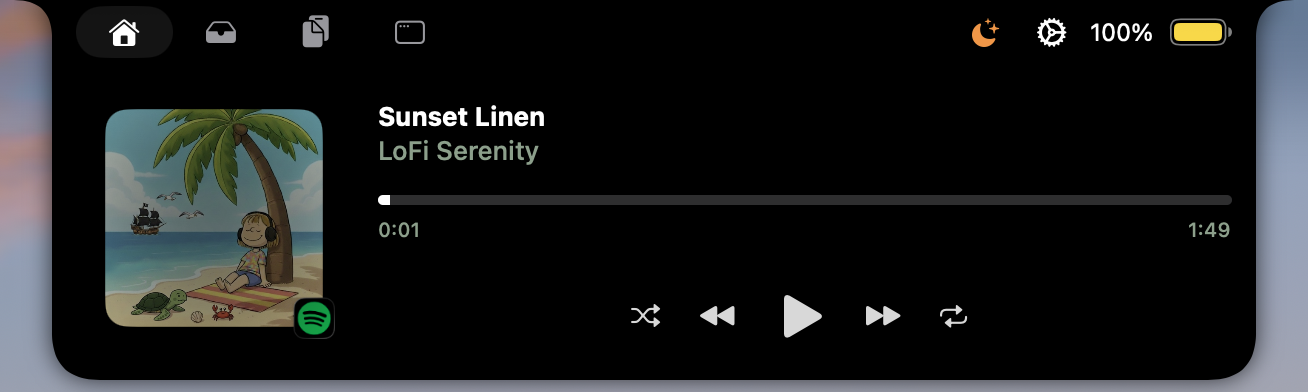
What it does
Gojo puts the current media source and playback controls in the MacBook-notch workspace.
Why it is useful
It is useful when you need to pause, skip, scrub, shuffle, or check what is playing without bringing a music or browser window forward.
Good to know
Available controls depend on the media source currently providing playback information.
How Media controls works in Gojo
- Shows the current track in the notch surface
- Provides configurable playback controls
- Works with the active media source
One workspace, not another standalone utility
Media controls is one part of Gojo’s MacBook-notch workspace. Keep the tools you use visible, hide the rest, and reach media, windows, clipboard, files, display controls, and more from the same native surface.
Try it on your Mac
Put media controls one hover away.
Try every Gojo feature free for three days. No account or card required.
Signed & notarized · macOS 14+ · private by design