

Everything you reach for,right in the notch.

Dictation, window snapping, clipboard history, a file shelf, music and screen warmth. One surface, always a hover away.

No card, no account · Dictation runs on device · macOS 14 or later

The apps this replaces.

These jobs usually mean a separate utility each, and a separate menu bar icon, settings pane and set of shortcuts to go with it. Gojo does all of them from one surface you already have.

Independent feature comparison. Gojo is not affiliated with or endorsed by the products shown.

The six tools.

Everything below is the real app running in the notch. One scroll and you have seen all of it.

Dictation that never leaves your Mac.

Hold one shortcut and speak. The words appear wherever your cursor already is, in Mail, Slack, a commit message or a search box.

Speech recognition runs on a model you download once. No API key, no account, and no audio ever leaves your Mac. It works on a plane.

  • Hold to talk, release to insert
  • Choose your model, or swap it later
  • Runs offline, on-device, every time
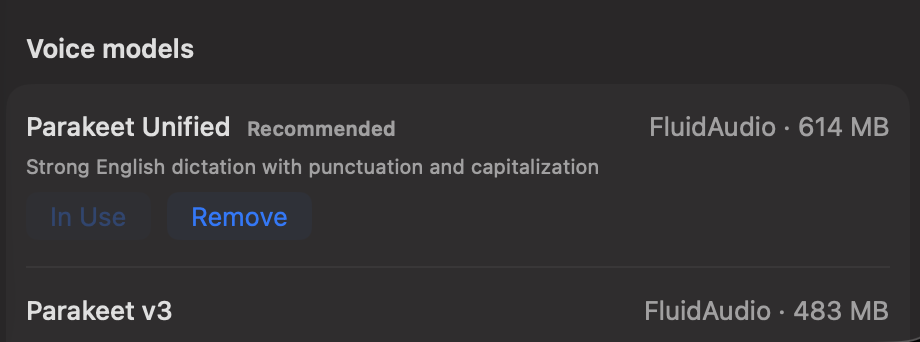
Gojo's voice model list: Parakeet Unified from FluidAudio, 614 MB, in use on this Mac, with Parakeet v3 available below it.
Models live on your Mac. You can see exactly which one is doing the work.

Your music, out of the way.

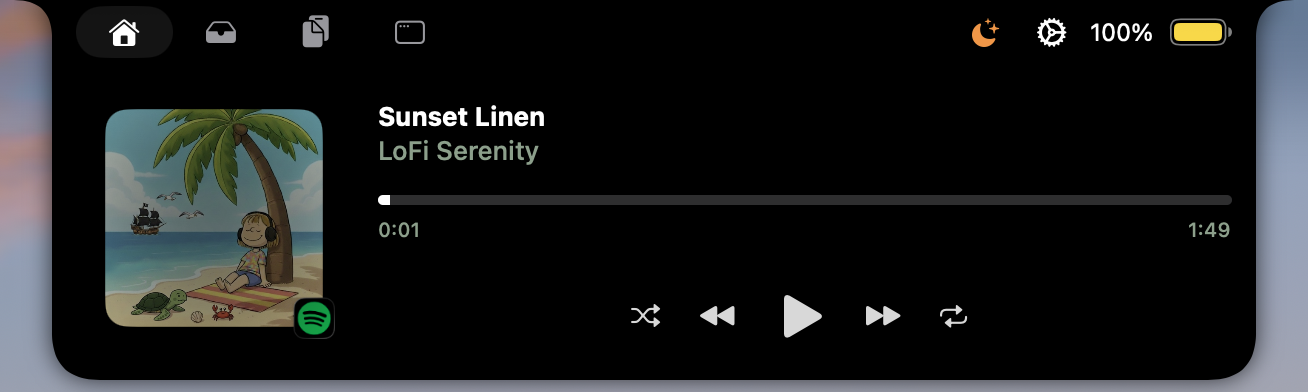
Artwork, title and a scrubber sit in the notch. Skip, shuffle and seek whatever is playing without raising a window.

  • Follows your current media source
  • Reorder the controls you actually use
The notch open on the media tab: album art, the track Sunset Linen by LoFi Serenity, a scrubber, and playback controls, with a Spotify badge on the artwork.

Everything you have copied, kept.

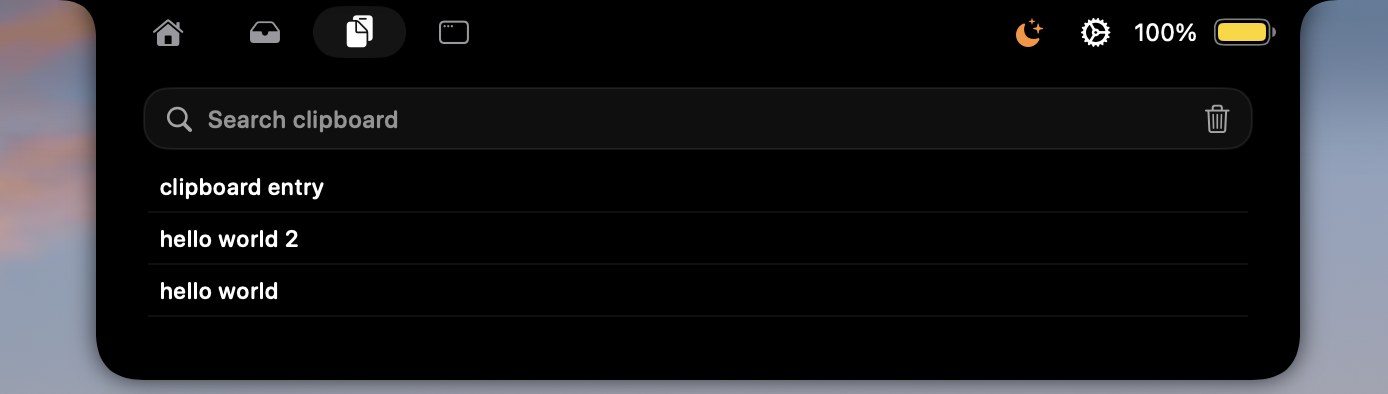
Everything you copy is saved and searchable from the notch. Anything a supported password manager marks as private is skipped.

  • Search without opening another app
  • Passwords and secrets stay out of history
The notch open on the clipboard tab: a search field above a list of recently copied text entries.

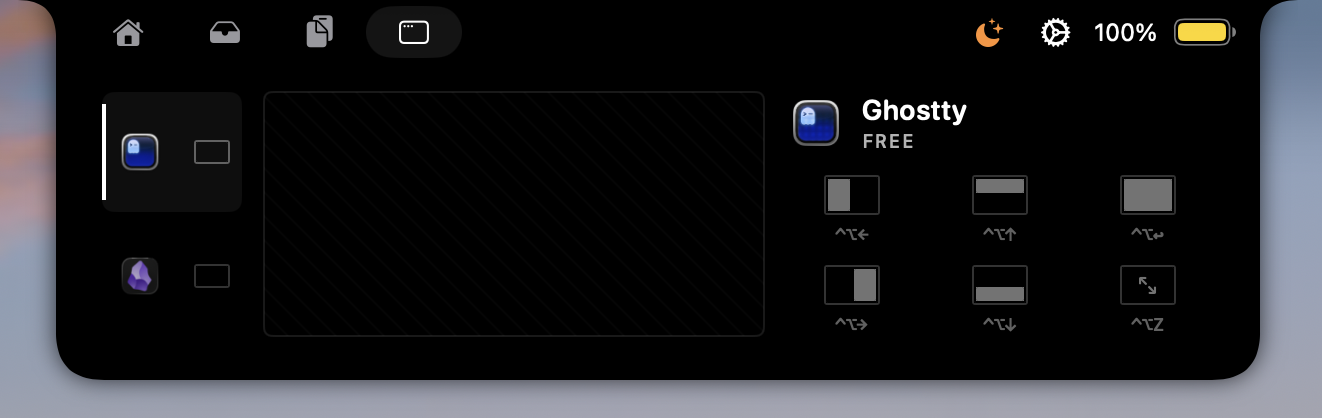
See a window before you switch to it.

A switcher that shows you the window before you land on it, and a snap grid with the shortcut printed under every layout.

  • Replaces with per-window previews
  • Halves, thirds, maximize, and zoom
The notch open on the windows tab: a list of open apps, a live preview pane for Ghostty, and a grid of six snap layouts each labelled with its keyboard shortcut.

A place to set files down.

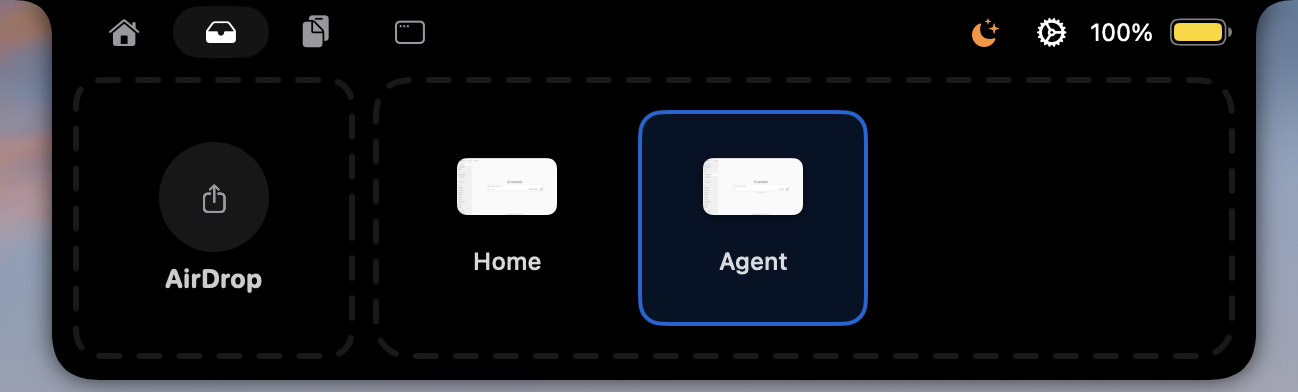
Drag files to the notch and they wait while you move between folders, desktops and apps. Drag them back out when you get there, or send them straight to AirDrop.

  • Survives folder, Space, and app switches
  • AirDrop target built into the shelf
The notch open on the shelf tab: an AirDrop drop target beside two staged files waiting to be dragged out.

Warmer screen after dark.

Night Shift on your own schedule, from the notch instead of System Settings. Sunset times are worked out on your Mac from a location you set once.

  • Starts with your Mac, if you want it to
  • Location is used locally and never sent anywhere
Gojo's Night Shift settings: enable toggle, a 6500K day status, a notch toggle, start-at-login, and sunrise and sunset times for San Francisco.

Make it yours.

Use all six or use one. Turn off what you do not need and reorder the rest, and the notch stops showing it, tabs included.

Also in the notch, if you switch them on:

  • Spotlight-replacement search on Space
  • Calendar and next-event glance
  • Battery and charge state
  • Camera mirror for checking your framing
  • Shortcuts you already built
  • Brightness and volume HUDs

Pricing

One Mac or up to three. Every plan includes the full app and all future updates.

Pay monthly
Subscription
$2.99/ month

Stay flexible with full access on one Mac. Cancel anytime.

Choose subscription
Best value · Save 33%
Lifetime
Originally $14.99, now $9.99 one time

Pay once and keep Gojo on one Mac, including future updates.

Get lifetime access